Cine App

Cine App represents a frequent designation linked to mobile entertainment software enabling individuals to browse video material via handheld devices.
Version: v1.0.7/ Size: 16MB
Security Verified
introduction
Cine App represents a frequent designation linked to mobile entertainment software enabling individuals to browse video material via handheld devices. Based upon specific iterations and creators, a Cine TV program might provide films, broadcast shows, internet-based streaming services, or additional recreational choices. Prior to installing any software bearing this title, individuals ought to verify its legitimate origin, existing capabilities, and suitability for their hardware unit.
Most Android owners seek an easy method to reach entertainment content on mobile devices. This manual clarifies what the Cine App entails, potential capabilities included within it, steps required to download and set up a Cine App APK file, procedures for updating the software, and other options users might evaluate instead. The section further covers pros, cons, and key security recommendations designed so readers may create a well-grounded choice regarding usage.
What Is Cine App?
Cine App serves as a designation for various software tools designed for viewing or finding video material. The exact function and the features possessed by these applications will depend completely on the particular application, its developers and its version. As such, one should not hold the notion that all applications referred to as Cine Apps are equal in terms of their content and functions.
Certain amusement applications concentrate upon web-based streaming, whereas other ones might offer video sections, suggestions, or connections toward material accessible via outside platforms. Specific editions could additionally contain tools built specifically for intelligent televisions or bigger displays.
Prior to utilizing Cine App, verify the creator’s details and examine the application summary with care. Determine if it offers authorized material, which authorizations it seeks, and if it functions with your specific Android release.
One must distinguish Cine App from various other programs sharing similar titles. Verifying the precise application title along with the legitimate creator assists in avoiding the installation of irrelevant or possibly hazardous data files.
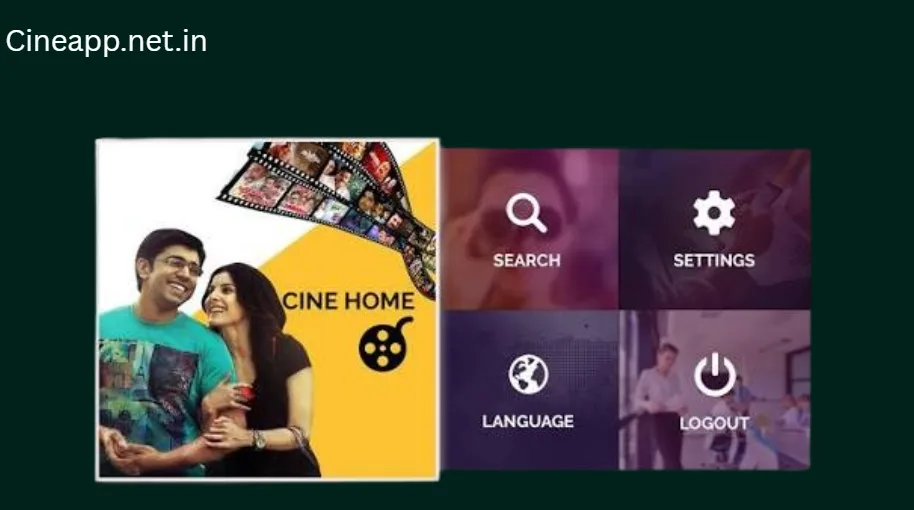
Features of Cine App
What Cine App offers changes based on the specific software or release selected. Below are typical functions that people often seek within such entertainment programs.
1. Simple User Interface
A simple user interface could provide more convenience when browsing categories, searching for videos, and using available settings. A good application must be designed in such a way that users can easily move through its sections.
2. Entertainment Categories
Entertainment applications categorize content according to various types like movies, TV programs, trending videos, or newly uploaded content. Such categorization helps find content of interest to the user easily.
3. Video Playback
It is very important to have video playback within a stream app. In different apps, users may have different controls such as pause, play, change volume, and change the quality of videos.
4. Search Function
The search feature may allow users to locate a specific title without going through each category. The value of such a feature depends largely on how good the application’s search feature is.
5. Mobile Compatibility
Android entertainment apps have been created for various phones and OS versions. Still, there cannot be any guarantee that the app will be compatible with each phone.
6. Streaming Quality Options
Some video apps enable the user to choose from various playback resolutions. Where this option is offered, using lower resolution could assist in reducing data usage, and using high resolution could ensure better quality of images over a suitable connection.
7.Regular Updates
Updates help to fix the bugs, improve performance, and address any security issues. It is advised that the users should only obtain the updates from a trusted developer or another reliable source.
Note: The above are features of the Cine App, not something that is guaranteed in all versions of the application. Always make sure to check the actual features of the application.
Cine TV App Download
Users who are looking for an app to download the Cine TV must first be sure about the particular app that needs to be downloaded, as several apps may have similar names. If a wrong app is downloaded, it may not solve any purpose for the user and may even pose security threats.
To stay away from any of these chances, it is advisable that users search for the app either through an official app store or the official website of the application developer. It is necessary that the user checks the name of the app, its developer, supported devices, privacy policy, and customer reviews.
If there is an official APK of the app, then it becomes extremely important that the user finds an authentic website to download the app.
The APK file is the extension for installing the apps on Android. Just because one downloads an APK file, it doesn’t mean it’s always secure. It’s good to consider both the source and integrity of the file.
Before downloading Cine TV App, make sure that your device has enough storage space and you know what permissions this application needs. When you are unable to validate either the author or the application itself, it’s better to use another entertainment service.
How to Download Cine App on Android
Download of Cine App on Android devices relies on whether there exists a genuine version from the app store or the developer’s site.
Use these general procedures:
1: Review the Official Site
Look up the exact name of the app at a trusted Android app store. In case the developer of the app has his own website, make sure that it leads to the same app.
2: Check Application Details
Please take into account the description below to ensure that the name of the developer, the requirements for Android OS, the privacy policy, and the user reviews are correct in selecting the appropriate application.
3: Start the Download
If the application is downloadable via a trusted app store, then download the application using the link provided by the trusted app store. However, if the application is in the format of an APK file, then you should download it from the official site of the developer.
4: Wait Until the File is Fully Downloaded
Do not try to open the document until the download is finished. Do not ignore any security warnings your browser might display to you.
5: Check the Downloaded File
If the application file has been already downloaded, then it needs to be scanned using the mobile security software and check that it is from a genuine source. Files that appear without being expected must not be opened.
6: Open the Application
Having downloaded the validated application, open it and follow the instructions on screen. Should the application require an account to be opened, provide information only if you are satisfied with the privacy policy of the software developer.
This is a general guideline of the process that should be followed. The process might differ depending on the operating system used and the way applications are distributed by the software developer.
How to Install Cine App APK
The APK file can be installed manually onto Android when the application is being distributed outside the regular app store. Nevertheless, manual installation involves more caution since Android may find it difficult to ascertain the authenticity of the file.
1: Download the Verified APK
Install the application from the genuine source website of the application’s developer. Do not use any altered APKs, or those that come from unreliable mirrors and are unlocked/premium.
2: Locate the File
Open the Downloads folder of your phone and search for the APK file downloaded.
3: Allow Installation if Necessary
Sometimes, you need to grant permission to the browser or file manager on your Android device to install apps from this particular source. This option is usually known as Install unknown apps or alike.
Grant this privilege to the reliable source only, but take it back once you have finished.
4: Analyze the Installation Prompt
Look at what is displayed in your screen upon installing the Android software by opening the APK file. If there is anything unusual in terms of permission and security prompts, you should take a moment to think about it before continuing.
5: Complete Installation
Install the app if you are permitted to do so by the Android through the on-screen directions.
Step 6: Open the Application and Test
Run the application to check its proper functioning. Know the permissions required by the application and deny all unnecessary permissions.
Advice: It is better to not ignore any warning signals sent by security tools like Google Play Protect in case of any threat. The application should not be installed but other options should be considered.
Alternatives to Cine App
YouTube

YouTube has a wide array of videos, ranging from movies that can be accessed via legitimate means to trailers, documentaries, education, and entertainment videos. The official YouTube Android app is readily accessible.
Netflix

It is a paid streaming platform which offers various films, television shows and originals. The content offered by Netflix depends on your location and plan you are on.
Amazon Prime Video

Movies and TV shows are available on Amazon Prime Video using its supported service. However, there might be some programs which would need you to have a subscription or purchase them separately.
Disney+

Entertainment in Disney+ is provided by both Disney and other brand names that are associated with Disney in those regions where the streaming service is available.
Plex

Services provided by Plex include access to content that can be streamed as well as media library capabilities for personal use. What is available depends on the individual’s situation.
Official Broadcaster Apps

Perhaps there will be official apps offered by local television stations and streaming services to view selected programs, news, and other TV broadcasts.
Pros and Cons of Cine App
Pros
- Easy access: The mobile entertainment app would make it easy to access video content on a smartphone.
- Portability: Android phones will enable one to view content at home or during travels.
- Possibly easy navigation: An efficient interface will aid in discovering content.
- Several categories of content: A number of applications sort video content into categories.
- Possible flexibility of devices: A few applications will work for smartphones, tablets, and compatible television sets.
Cons
- Problem with identification: It is possible to have various apps with similar names, which makes it difficult to identify the right app.
- Security risk: APK files which are unknown can prove to be a security threat or may contain unwanted programs.
- Compatibility issue: Not all versions are always compatible with all Android devices.
- Licensing issue: It is possible to have an application that lacks licensing but has video content.
Conclusion
Cine App is one of the names of an application used in relation to entertainment applications in the phone; however, their uses differ. Prior to downloading Cine App and Cine TV App, one must confirm the app is correct, understand the compatibility conditions, and download from a reliable source.
Installation of Cine App APK on your phone will not take much effort if the application is a correct one, but there are extra safety measures required in case of manual installation. Continuous Updates of applications, checking permissions, and avoiding dangerous websites for downloading can prevent harm from being done to your device.
If Cine App fails to satisfy you, some other entertainment options can be considered, like YouTube, Netflix, Amazon Prime Video, Disney+, Plex, and apps of official broadcasters. Select the best alternative that suits your demands without harming your privacy.
FAQs
Cine App is a term applied to entertainment apps that might include video content or any other type of service. The functionality of this application varies from one developer to another.
This depends entirely on which application you are planning to use. It is recommended that you visit the app store or the website of the developer.
Please find the correct one through a legitimate application or website. It must be from a credible source.
Download the verified APK, find it on your Downloads folder and follow the installation process for Android. If needed, allow the installation from the trusted source and then move forward to checking the app’s permissions.
Pricing varies depending on the exact usage and functionality of the app. You can find this out by checking the app developer’s website to see whether the app is free or a subscription-based one.
It is not possible to ascertain safety from the application name alone. As such, the developer should be verified, the app obtained from a reliable source, and security warnings heeded.